Atlas AI: The Future of Intelligent Solutions for SaaS Professionals
Dr. Maya Patel
November 18, 2025
Key Takeaways
- →Comprehensive analysis of Atlas AI and its market position
- →Strategic insights for enterprise adoption and integration
- →Technical evaluation and competitive landscape assessment
What is Atlas AI?
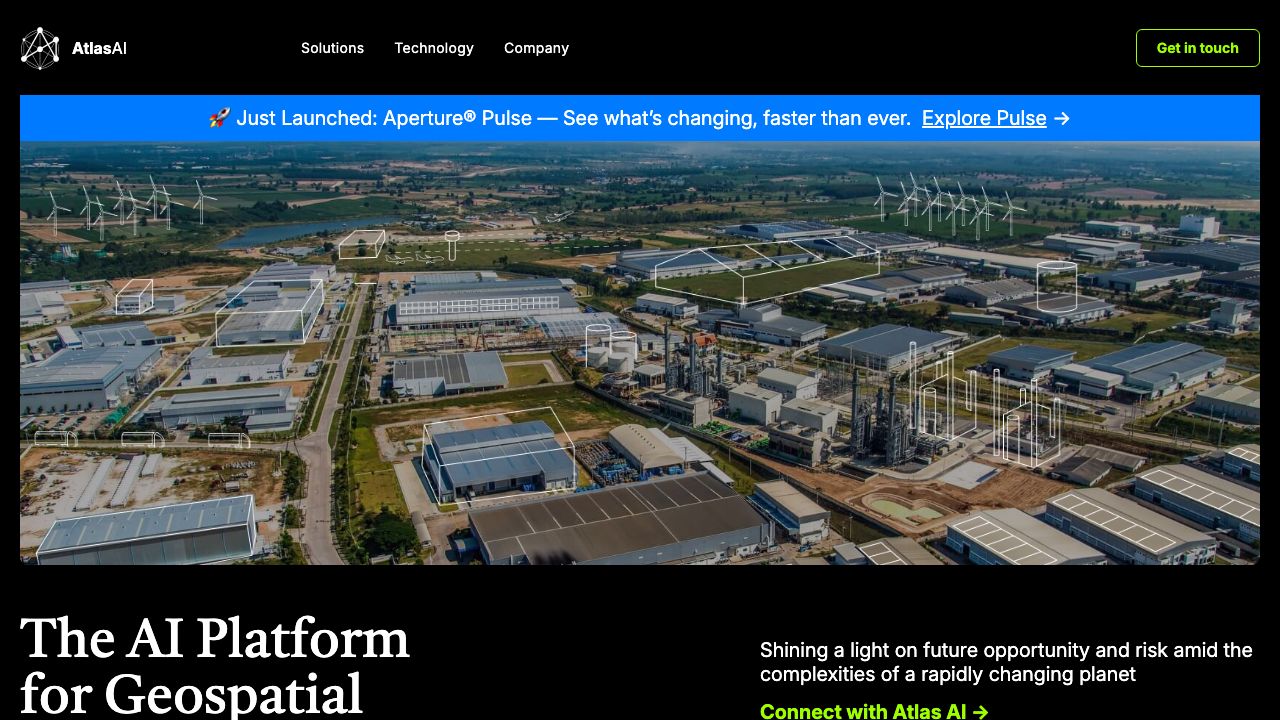
Atlas AI is a geospatial intelligence platform that turns satellite imagery and complementary data into operational insights for development, agriculture, and risk management. Designed for product managers, data scientists, and field teams at NGOs, financial institutions, and governments, Atlas AI applies machine learning to create high-resolution maps of economic activity, crop health, and environmental risk. The platform emphasizes interpretable indicators (e.g., asset ownership, building density, crop vigor) that integrate with existing workflows and GIS systems. More on the official site: https://atlasai.co
Key Features and Capabilities
Atlas AI congregates several capabilities that matter to SaaS teams building geospatial workflows:
- •
Satellite-derived socioeconomic mapping
- •Generates poverty and asset maps by combining optical/radar imagery with ground truth (surveys). Outputs are geotiled indicators with per-tile confidence scores that can guide targeting and monitoring. Practical use: identify districts with low asset ownership for cash transfer targeting.
- •
Crop and yield analytics
- •Produces crop-type classification, growing-season phenology, and yield proxies using multispectral time series. Typical outputs include NDVI/EVI series, crop masks (GeoTIFF/GeoJSON), and estimated yields at field or tile level for integration with farm-management systems.
- •
Risk and resilience models
- •Offers flood, drought, and land-use change indicators derived from historical imagery and modeled scenarios. Teams can layer risk indices on infrastructure maps to prioritize resilience investments or supply-chain routing.
- •
API and Insights Dashboard
- •RESTful APIs deliver tile-level metrics, time-series endpoints, and batch export jobs. The web-based Insights Dashboard provides visual map layers, query builders, and export options (GeoTIFF, CSV, GeoJSON) so non-technical stakeholders can explore outputs without writing code.
- •
Interoperability and provenance
- •Exports are GIS-native and include metadata (sensor, acquisition date, model version, confidence). Integrations with common cloud storage (AWS S3, GCP), and compatibility with QGIS/ArcGIS streamline ingestion into existing analytics pipelines.
Each capability emphasizes explainability: models surface which image features (roof materials, nighttime lights, vegetation indices) drove predictions, helping teams validate and tune models against local ground truth.
Getting Started
A practical setup sequence for SaaS teams adopting Atlas AI:
- •Request access and demo at https://atlasai.co and secure an account or trial API key.
- •Define scope: pick AOIs (areas of interest) using polygon GeoJSONs and set temporal range (e.g., last 3 years for livelihoods analysis).
- •Choose product modules: socioeconomic mapping, crop analytics, or risk modelling. For pilots, start with one tile set (10–50 km2).
- •Upload ground truth (optional but recommended): household surveys, farm boundaries, or administrative indicators in CSV/GeoJSON to calibrate models.
- •Run a pilot batch via the API or Dashboard: select imagery sources (Sentinel-2 default, optional commercial Planet layers), run the pre-trained model, and download outputs.
- •Validate: compare model outputs against held-out survey data or field visits. Review per-tile confidence and feature-attribution to diagnose errors.
- •Integrate: connect results to downstream systems—CRM targeting lists, loan underwriting pipelines, or GIS dashboards—using exported GeoTIFF/CSV or the API webhooks for near-real-time updates.
- •Scale: move from pilot to production with area-based pricing or enterprise contract; set up scheduled re-runs for monitoring and alerts.
This sequence reduces procurement friction and ensures teams validate predictive indicators before operationalizing decisions.
Real-World Use Cases
- •
Financial inclusion and credit scoring: Lenders use atlas-derived asset and density maps to augment alternative credit signals in rural markets where formal financial footprints are sparse. Integrating tile-level asset scores into underwriting models can expand reach while managing portfolio risk.
- •
Agricultural advisory and input targeting: Ag tech platforms use crop masks and phenology to time fertilizer distribution and input credit. For instance, detecting planting windows across regions enables logistics teams to stage deliveries to vendors precisely when farmers need them.
- •
Humanitarian targeting and monitoring: NGOs leverage poverty and risk layers to prioritize cash transfers after shocks. After a flood event, Atlas AI’s flood-risk layers combined with pre-existing poverty maps enable planners to target the most vulnerable communities quickly and objectively.
Pros and Cons
Advantages:
- •High-impact, domain-specific indicators (poverty, crop health, risk) reduce custom ML development burden.
- •GIS-native outputs with provenance and confidence metrics support rigorous validation and audit trails.
- •API + dashboard combo accelerates adoption across technical and non-technical teams.
- •Designed for low-data settings—models can be calibrated with sparse survey inputs.
Limitations:
- •Enterprise pricing and commercial imagery (higher spatial resolution) can be costly for very large-area monitoring.
- •Model performance depends on available ground truth and the local novelty of features—requires validation and occasional retraining for new geographies.
How It Compares to Alternatives
Atlas AI specializes in socioeconomic and agricultural indicators derived for development and financial inclusion contexts. Competitors like Orbital Insight (https://orbitalinsight.com) and Descartes Labs (https://www.descarteslabs.com) provide broader commercial geospatial analytics (e.g., traffic, macroeconomic signals), while Planet (https://www.planet.com) emphasizes high-cadence imagery delivery. Teams seeking interpretable poverty and crop indicators with development-sector support often prefer Atlas AI’s tailored approach; others focused on general satellite analytics or global-scale imagery resale may opt for the broader catalogs and tooling of Orbital Insight or Planet.
Pricing and Value
Atlas AI typically operates on a combination of pilot fees and subscription or usage-based API pricing. Pricing factors include area covered, imagery cadence/resolution (open vs. commercial), and custom model development. Small pilots or proof-of-concept engagements are commonly structured as fixed-price contracts, while enterprise workflows use custom SOWs that include model calibration, monitoring, and SLA-backed deliveries—value accrues when satellite-derived indicators reduce costly field surveys or improve targeting accuracy.
Final Verdict
Atlas AI is a practical choice for SaaS teams and program operators who need validated, GIS-ready socioeconomic and agricultural indicators rather than building complex geospatial ML stacks from scratch. For organizations working in low-data environments—NGOs, rural lenders, and agtech platforms—Atlas AI accelerates deployment of evidence-driven targeting, monitoring, and resilience planning. Explore capabilities and request a demo at https://atlasai.co to assess fit with specific operational goals.
Ready to Evaluate Atlas AI?
Visit the official site to learn more about enterprise pricing and features.
Visit Website→